I've Been Sleeping on Zellij

Why I Never Used tmux
Never got into tmux. The keybindings felt arcane, the config was intimidating, and I just... used multiple terminal windows. I've been oh-my-zsh-ing and iTerm2-ing my way through life without a multiplexer. Like a savage.
As part of working with my brother Patrick on a project, he recommended I try Zellij or Zed. Zellij is Rust, and everything my brother builds is Rust, so I'm giving it a shot.
The Problem That Finally Made Me Try One
I've been searching for a better Claude Code workflow. I keep switching between terminal windows, browser tabs, and editors. Claude can spin up agents on tasks beautifully, but I wasn't managing my own mental context well.
Here's my typical disaster: I'd open 5 terminal windows in VS Code, each running different Claude sessions. Then VS Code would crash (probably from all the Claude Code output flickering). I'd lose everything and have to piece it back together by checking claude --resume threads, trying to figure out which ones were done and which were still working.
Add multiple repos, git worktrees, and branches to the mix? Chaos.
Discovering Zellij
Zellij caught my attention because it solves the exact problem I was having - persistent panes that survive crashes, with an interface that doesn't require memorizing cryptic keybindings.
My biggest tip if you're new: Start with the defaults. Don't customize anything yet.
I made the classic mistake of having Claude help me set up a fancy layout on day one. It looked great:
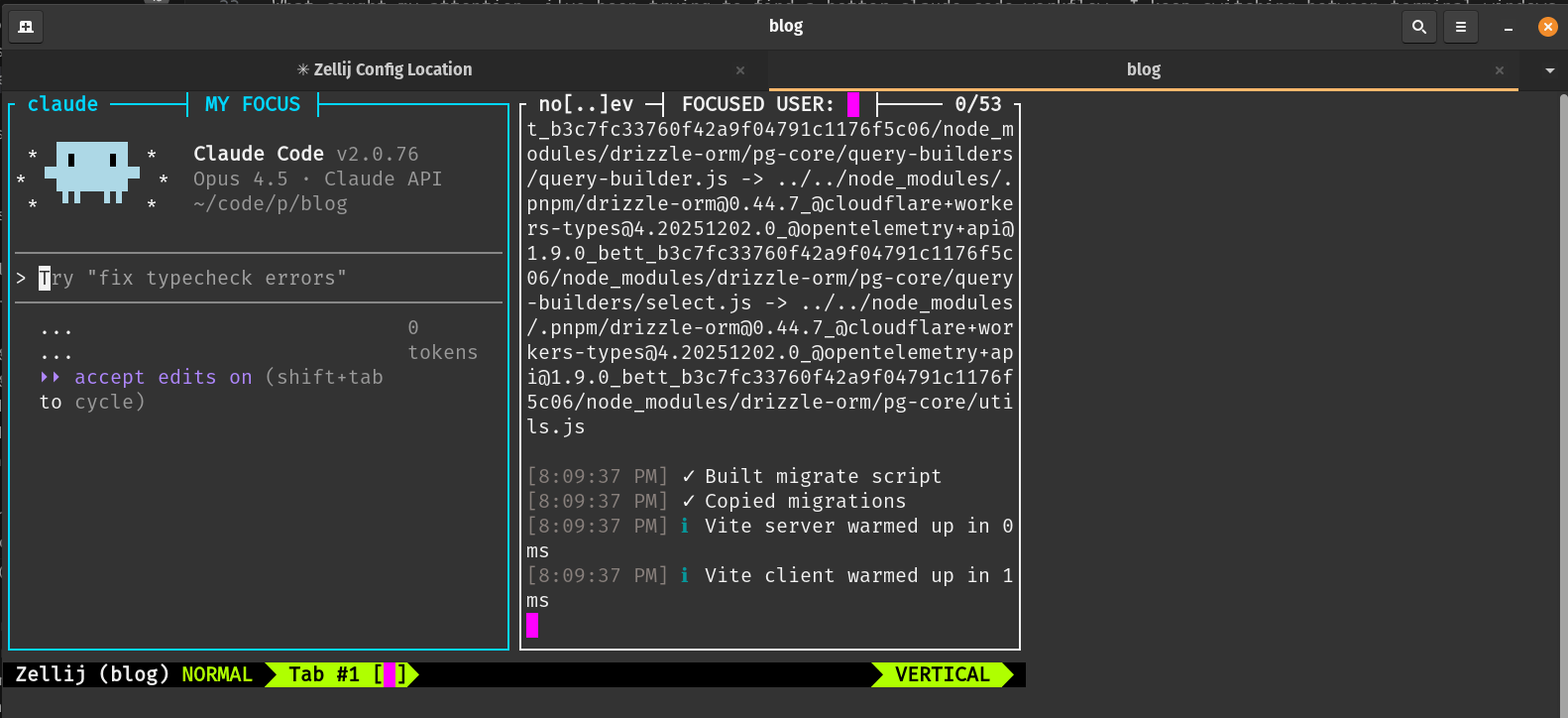
But I had no idea what any of the keybindings did. I spent the first hour completely lost, fighting against config I didn't understand.
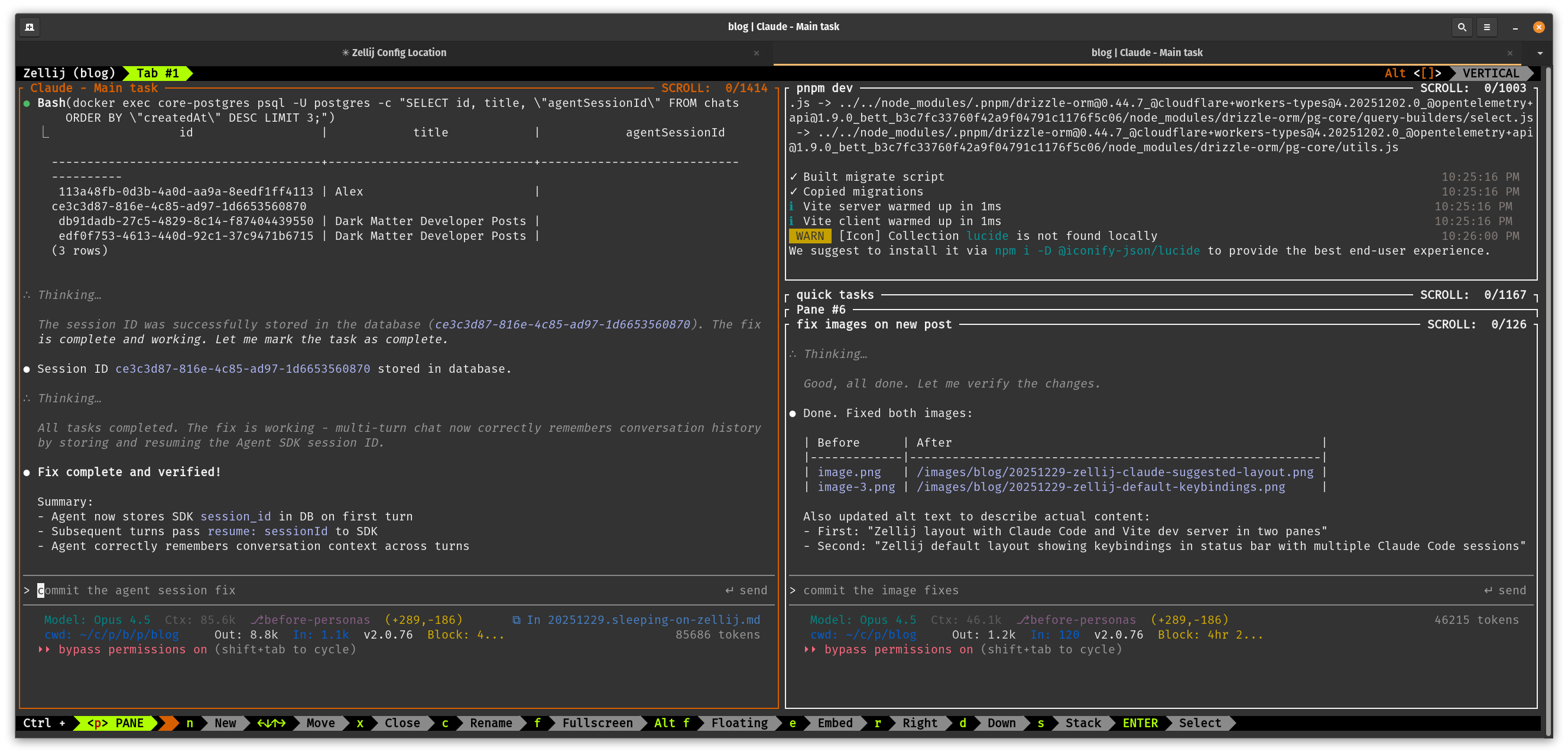
So I scrapped it and started over with the stock layout. The default shows all keybindings on screen, making it easy to learn as you go:
The Lesson I Keep Re-Learning
This is a mistake I make over and over for years with every new tool or framework: trying to make it behave like my old setup before I understand it on its own terms.
Someone spent a lot of time thinking about their tool's design and made deliberate tradeoffs. When I immediately try to customize it to feel "familiar," I'm fighting against that design. Better to learn the tool as intended first, then customize once I understand what I'm changing and why.
Early Impressions
Still figuring out the ideal workflow, but I'm already loving:
- Multi-pane persistence - No more losing context when VS Code crashes
- Also, naming the panes helps me remember what each is doing
- Easy pane management - Splitting, resizing, and navigating panes is intuitive
- Discoverable keybindings - The on-screen hints actually teach you as you work
- Stackable panes - Great for running multiple Claude agents in the background while keeping focus on the main task
The dream setup I'm working toward: one pane for primary work, with stackable background panes for each Claude agent. Spin up an agent, let it work, check back when it's done. All without losing track of what's running where. Not sure about worktrees yet.
Still exploring whether to run Zellij inside VS Code's terminal or in a separate terminal app. The keybinding conflicts with VS Code are annoying, and I'm not sure yet if file links will open correctly. More experimentation needed.
Resources
AI Pairing: Notes to Self
My ever-evolving tips for pairing with AI - not rules, just habits I keep forgetting
Implementing a Ralph Wiggum Loop: The Secret is Session Markers
How I turned towles-tool into an autonomous AI coding system using session markers to preserve context across iterations - and the weekend of mistakes that got me there.