Implementing a Ralph Wiggum Loop: The Secret is Session Markers

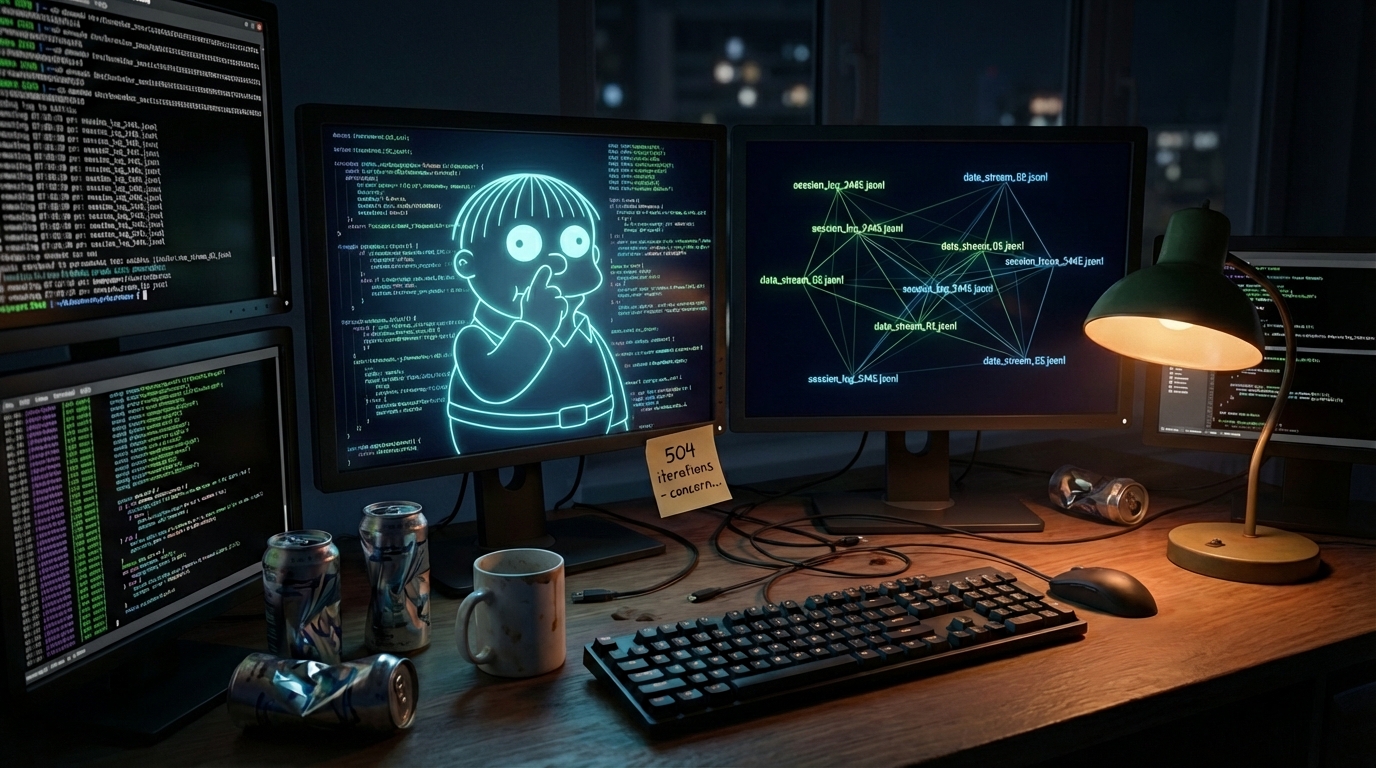
There's an AI coding pattern that lets you run seriously long-running agents - for hours at a time - that ship code while you sleep. It's called the Ralph Wiggum loop, named after the haplessly persistent Simpsons character.
I'd been tinkering with this pattern since Claude Code's early skill system - trying to run loops in interactive sessions, wrestling with state management, burning through context limits. Then Matt Pocock published his approach, and one thing clicked immediately:
Use a bash shell. Not an interactive session.
It sounds obvious in retrospect. Why was I trying to manage loops inside Claude Code's interactive session when I could just... run claude from a bash while loop? Queue up the work, let Claude figure out what to do next, repeat until done.
After a weekend of burning through tokens, migrating from pnpm to Bun (and back), and discovering the critical importance of session markers, I finally got it working. Here's what I learned.
What is a Ralph Wiggum Loop?
The pattern is elegantly simple: a while loop that feeds Claude a prompt, Claude works on the code, and when Claude attempts to exit, a hook checks if work is truly done. If not, it re-feeds the same prompt. Each iteration carries forward all context - the modified files, git history, previous test results - allowing Claude to learn from its own output.
Matt Pocock describes it as "a keep-it-simple-stupid approach to AI coding." There's an official Claude Code plugin, but the pattern was created by Geoffrey Huntley. It's been all over X and Reddit - but how do you leverage it in your own projects?
The Aha Moment: Queue, Don't Direct
Before Matt's video, I was thinking about this wrong. I'd start an interactive Claude Code session, add tasks to a state file, then try to run a loop inside the conversation. Complex prompt engineering. Hooks to detect exit conditions. State management within the session.
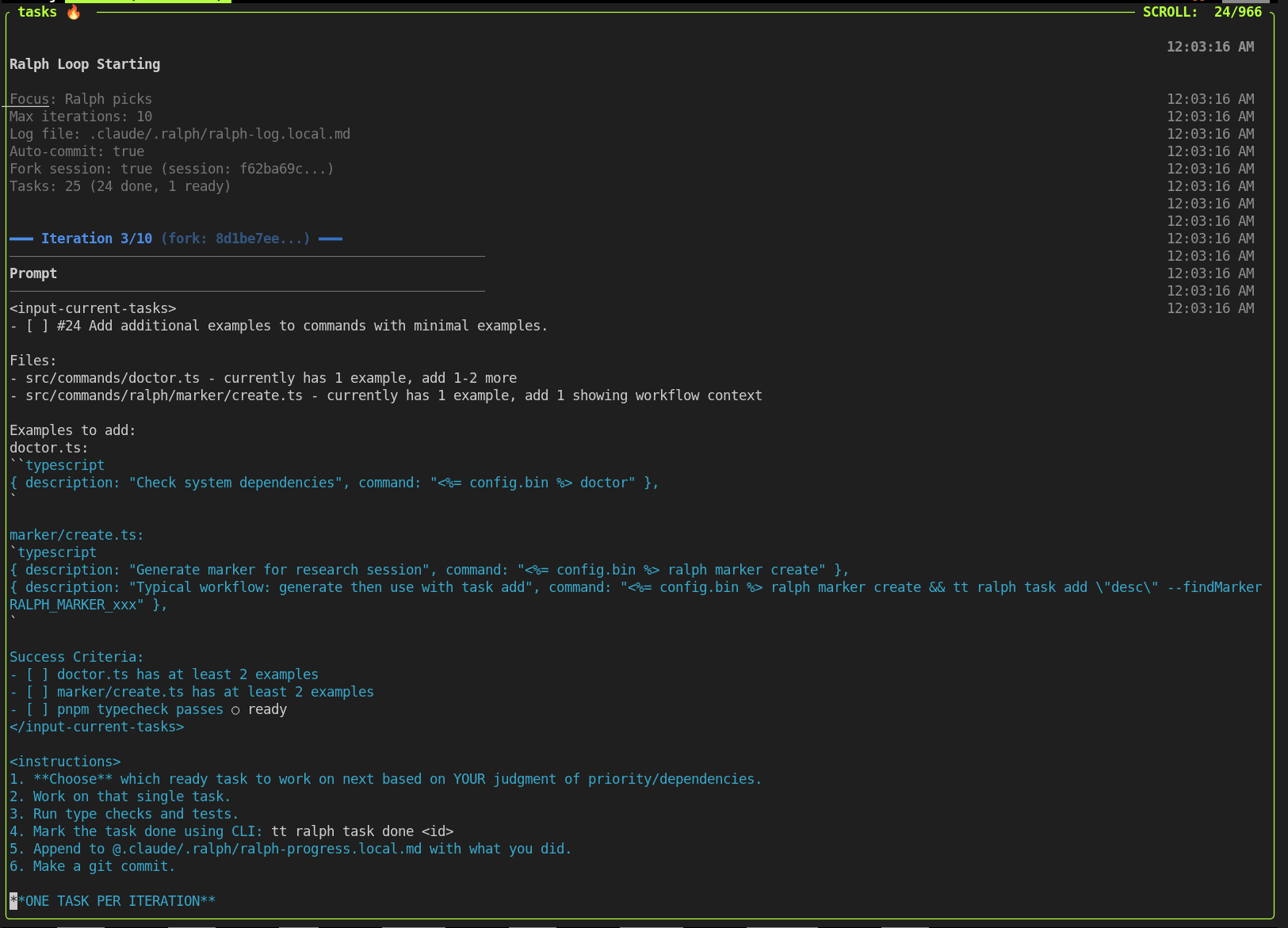
The insight from Matt's approach: let Claude decide what to work on. You're not micro-managing each step. You queue up tasks, give Claude access to a state file, and run the CLI in a bash loop. Each iteration, Claude reads the state, picks a task, does the work, marks it done, and exits. The loop restarts, Claude picks the next task.
It's mechanical. It's simple. It works overnight while you sleep.
One thing that made a huge difference: task instructions in the system prompt. towles-tool injects the current task and workflow rules into the system prompt via --append-system-prompt, not just the user message. This keeps Claude focused on the current task much longer and more successfully than putting instructions in the prompt itself. The system prompt is "always there" in a way that user messages aren't.
The Token Burn Weekend (Or: Why I Have a File Named NEVER_AGAIN)
One December weekend, I set up what I thought was a reasonable experiment: let Claude work autonomously on a complex feature - personas, chatbots, skills, database schema changes. I ran the loop overnight.
I woke up to this in my state file:
iteration: 10
max_iterations: 10
10 iterations. I'd set max_iterations: 10 and gone to sleep. The commit message from that night says it all: I'd burned through all my tokens, and I'm on the $100 plan.
The state file got renamed to .claude/ralph-loop.local.md-NEVER_AGAIN.
The problem wasn't just the raw token count. Each iteration built on the previous one's context. Even with compaction, Claude Code is much smarter in the first 40% of the context window than when it's full and trying to compact.
The commit that changed everything on 2026-01-11: feat(ralph): auto-resume sessions per-task to prevent token burn. That commit message tells the story. After the NEVER_AGAIN incident, I had to figure out how to preserve context between iterations but not fill up the context, find that sweet spot where Claude has enough context to be effective without burning through tokens unnecessarily.
## The Secret: Session Markers
Assigning tasks to Claude Code in a "headless" manner (a bash loop) is half the battle. How do you give Claude the right context for each task without starting from scratch every time? Usually you'd write a plan.md file, right? But even with a half page of markdown, Claude still has a lot of intent to figure out. I needed to preserve context more effectively. My solution: session markers.
I think it was Boris Cherny who had tweeted about this, couldn't find it again - pointing out that Claude Code already has a way to resume sessions which forks them!
Claude Code stores conversation history in JSONL files at ~/.claude/projects/. Each file represents a session. If you can find the right session, you can resume from it with --resume <session-id>, and Claude picks up exactly where it left off.
The insight that changed everything: generate a random marker, have Claude output it during research, then search for that marker to find the session.
Something like:
// From marker.ts - the core of the system
export const MARKER_PREFIX = 'RALPH_MARKER_';

export function generateMarker(): string {
  const chars = 'abcdefghijklmnopqrstuvwxyz0123456789';
  let result = '';
  for (let i = 0; i < 8; i++) {
    result += chars.charAt(Math.floor(Math.random() * chars.length));
  }
  return result;
}

export async function findSessionByMarker(marker: string): Promise<string | null> {
  const projectDir = getProjectDir();
  // ... search all .jsonl files for the marker
  // return the session ID (filename without .jsonl)
}
The workflow looks like this:
# 1. Generate a marker
tt ralph marker create
# Output: RALPH_MARKER_abc12345

# 2. Do your research with Claude, telling it to output the marker
# "When you've gathered all the context needed, output: RALPH_MARKER_abc12345"

# 3. Add tasks with the marker
tt ralph task add "Implement the feature" --findMarker RALPH_MARKER_abc12345
# ✓ Added task #1 with session: 7a9f3b2c...

# 4. Run ralph - it automatically forks from the research session!
tt ralph run
Each task now carries its own sessionId. When ralph runs that task, it forks from that session. Claude starts with all the codebase knowledge from the research phase - no more burning tokens re-discovering the same files, doing redundant work, or losing context between iterations.
Real Results
My first real test: reviewing every blog post in my repository. I created 37 tasks - one per post - ran ralph overnight, and woke up to grammar fixes, improved clarity, consistent formatting, all committed individually with meaningful messages.
I've since used it for harder tasks like converting this blog's AI chat from API-driven to websockets. Ralph with session markers worked first try the morning after - the previous two attempts (once partnering, once solo) had burned through my token quota without success.
Lessons Learned
- Context is everything. A loop without session preservation is just expensive repetition.
- The marker trick is the secret sauce. Generate a random string, have Claude output it, search for it later. Simple but powerful.
- Start with HITL, then go AFK. Matt's advice: run interactively first, verify it's working, then let it run autonomously.
- Set conservative iteration limits. A 20-iteration loop is plenty - more work than you can do in a single night, and likely more than you can review in one sitting.
- Token efficiency compounds. Do the work once, save the session, fork from it for subsequent tasks. This avoids redundant context rebuilding and saves both time and API credits.
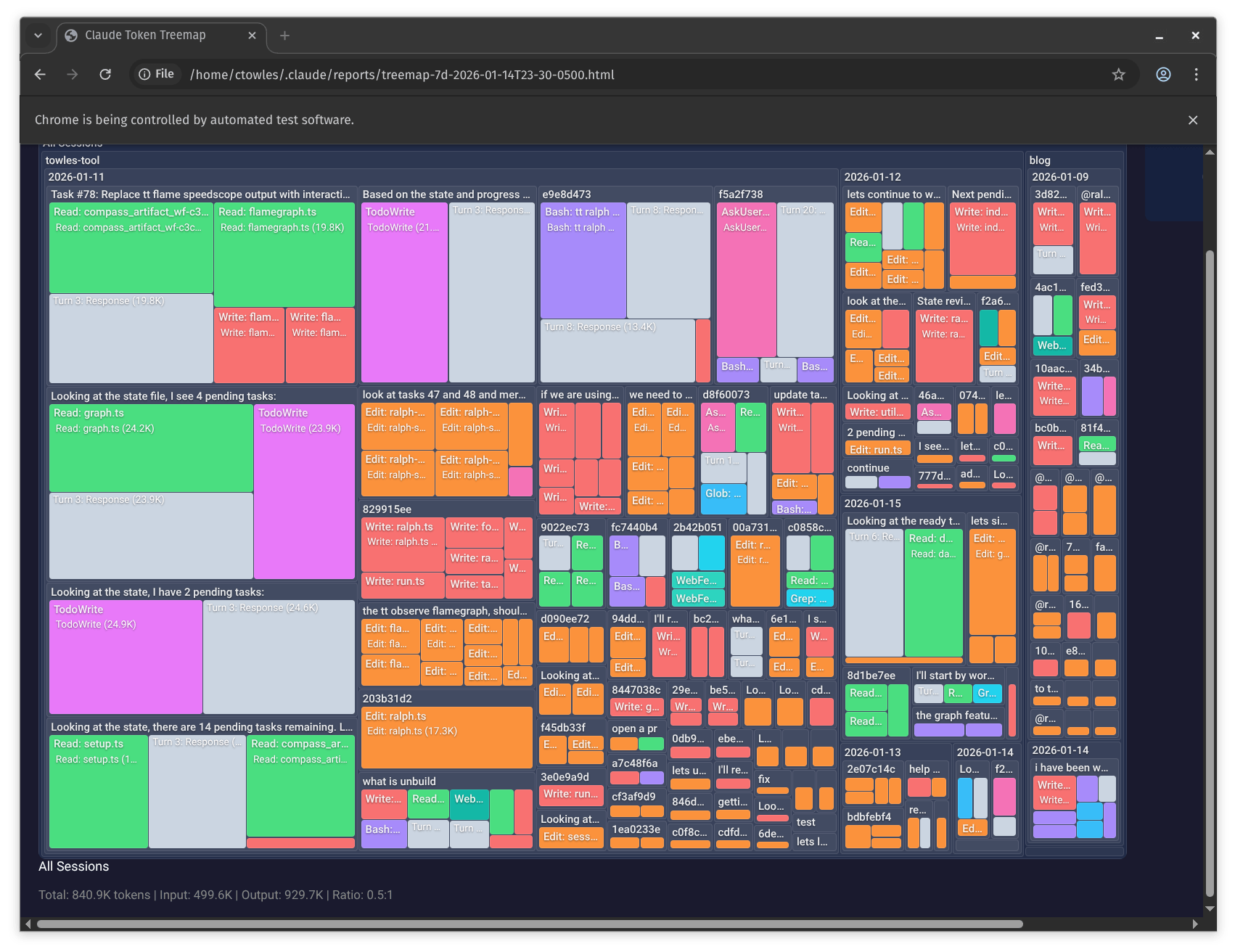
I built token visualization into towles-tool to see where my quota was going. A treemap ended up being more informative than a flamegraph:
Try It
The code is open source:
- towles-tool: github.com/ChrisTowles/towles-tool
Install with npm install -g @towles/tool and start with tt ralph --help.
And install the Claude Code plugin:
claude plugin marketplace add ChrisTowles/towles-tool
claude plugin install tt@towles-tool --scope user
The Ralph Wiggum loop isn't magic - it's just a while loop. Claude Code is the magic. But add session forking and context preservation, and you get real leverage. Get those right, and you can ship while you sleep without blowing through your token quota.
Thanks to Matt Pocock for writing about Ralph Wiggum loops and inspiring this implementation.